March 2, 2026
How FEC operators streamline operations and win back their day
Operation
Revenue generation
Valo Motion Service
Ready to streamline your FEC operations?
Talk to our team
Prakhar Sharma
Content Specialist at Valo Motion, helping operators grow through actionable content.

Your guests have more ways to spend their time and money than ever before. Netflix drops a new season. A new game releases. A family orders pizza and stays home. You're competing with the trampoline park across town AND every couch, every screen, and every subscription service your guests pay for every month.
The venues that keep winning do two things differently: 1. offer something so unique that their customers cannot get at home, and 2. run the whole experience inside their walls so smoothly that it's worth leaving home for. Every time.
This is Part 3 of our Operator Productivity Series. In Part 1, we covered scheduling automation. In Part 2, we covered marketing systems. Now we're getting practical about daily operations: the configuration choices, staff habits, and systems that make your venue run cleanly, whether it's a quiet Tuesday or a packed Saturday birthday rush.
🎂Read more on how to make birthday party operations easier (and more profitable)
What makes digital attractions different from traditional ones?
With analog attractions, improving operations means sitting down with your team to identify bottlenecks, manually training staff on new procedures, creating digital checklists from scratch, and reorganizing workflows. That's a full project requiring planning, time, and resources. Most operators know they should do it, but never find the bandwidth to start.
Digital attractions like ValoArena, ValoClimb, and ValoJump, that come with service platforms like Operations Hub, work differently. One person can configure settings, adjust for different event types, and manage group bookings from their office or phone. The improvements happen online, not through reorganizing your entire operation. The tips below show you how.
This post covers 15 practical tips organized into three areas. The first two focus on Valo Motion's Operations Hub, specifically how to configure your digital attractions and manage group bookings through play codes. The third covers staff systems that apply to any venue, regardless of what attractions you run.
Let's get into it.
Set up your digital attractions to run themselves
Valo Motion attractions are designed to operate without a staff member standing next to them. Guests interact directly with the touchscreen, choose their game, play, and collect their video souvenir. Your team's attention belongs on your guests, not on the technology.
The level of independence depends on how well you've configured the system. Spend time in the Operations Hub’s “Operation settings” tab once, and your attractions adapt to different situations without needing constant manual intervention.
- 🎭 Switch operation modes for different events
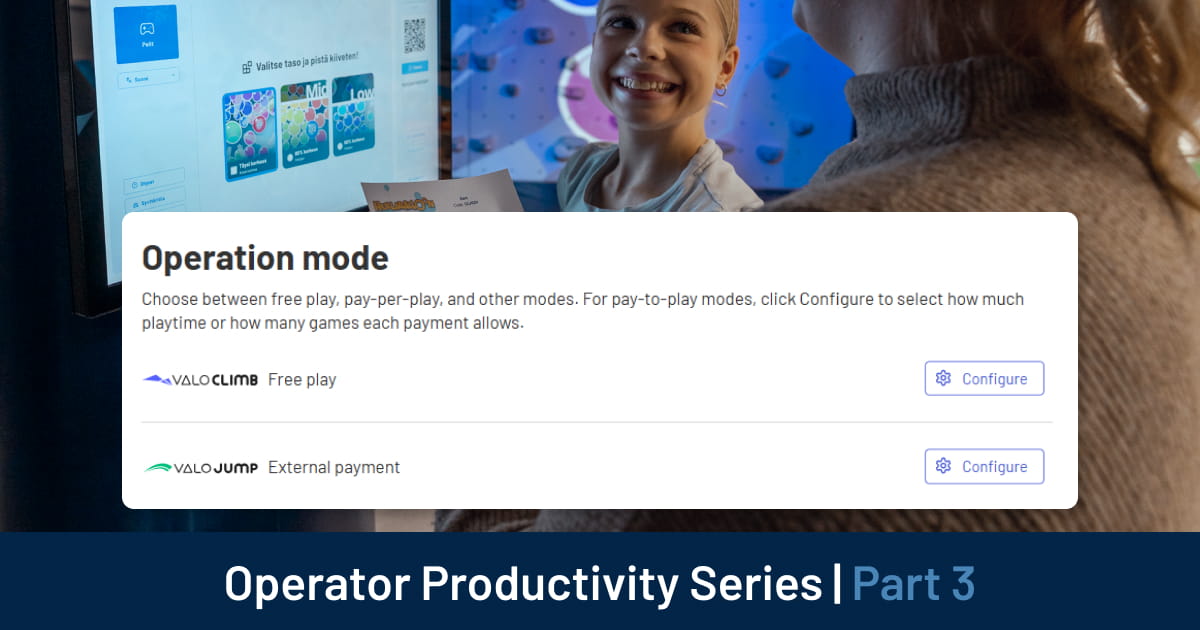
Your venue runs differently during a gated admission session than it does during a private corporate booking or a school group visit. Operation modes let your digital attractions adapt to each scenario without reconfiguring hardware.
Update operation modes anytime, from any device. Your morning walk-in crowd and your evening private event can run on completely different settings, managed from your phone before you even arrive.
- 🌍 Localize the experience for your guests
In multilingual markets, language settings determine how welcome guests feel and how confidently they engage with the game. Set your most common language as the default, then enable three to five additional languages based on your typical guest demographics.
Guests who understand the instructions play better and enjoy the experience more. That's a measurable outcome from a five-minute configuration change.
- 🎮 Curate your game library by audience
Valo Motion's game catalog is designed for families, but you can tailor your selection to match your specific audience segments.
If you host toddler groups or very young children, where less is more: fewer games with larger, simpler characters might work better than a full catalog. If you run competitive teen leagues or adult fitness sessions, keep all difficulty levels active to maintain challenge.
Check game popularity in the Operations Hub Status page periodically and use that data to refine your selection. The games your guests actually want to play should take priority.
- 🔊 Balance volume for your space
Set the game volume based on your venue's ambient noise. High-traffic locations need higher volume so guests can hear the game over the crowd. Quieter spaces benefit from lower settings. You can also adjust volume for noise-sensitive special events.
One setting that often gets overlooked: Idle Volume. Keep it lower than game volume. When units sit between sessions, loud idle audio creates fatigue for both guests and staff over the course of a long shift.
- 🔒 Secure touchscreen access
Share the touchscreen password only with trained staff who need to manage unit settings on the floor. This prevents accidental changes during busy periods while giving your team quick access when they need it.
- ⚡ Bulk updates save time at multi-unit venues
If you operate multiple Valo Motion units of the same type at one location, configuration changes apply to all matching units simultaneously. One update adjusts settings across your entire venue instantly. For venues running several units, this compounds quickly into significant time savings.
📹 Here's how to manage operation settings in the Operations Hub:
Use play codes to manage groups and events without friction
Every birthday party, school group, summer camp, and corporate booking creates the same operational challenge: getting the right number of guests onto the right attractions for the right amount of time, without check-in becoming a bottleneck.
Play codes solve this. Each code batch is pre-configured with a specific number of games or minutes, assigned to a specific attraction type (ValoClimb, ValoArena, or ValoJump), and distributed to guests before they arrive. When they walk in, everything is ready for a smooth experience.
Here's how to use them well.
- 🎟️ Understand games vs. minutes before you price anything
ValoJump runs on a games-based model, meaning each code grants a set number of plays. ValoClimb and ValoArena run on a time-based model, meaning each code grants a set number of minutes.
This distinction matters when you're building packages:
- ValoJump codes work well for pay-per-play models or when you want to limit the number of attempts
- ValoClimb and ValoArena codes work better for timed sessions or when you're managing multiple players rotating through
Get it right, and your packages are clean to sell and simple to explain.
- 📦 Plan code batches by event type
Create separate code batches for different purposes and label them clearly in your records:
- Birthday party codes (e.g., 5 games each)
- Summer camp codes (e.g., 10 minutes each)
- Corporate event codes (e.g., 3 games each)
Smaller batches of 10-20 codes per event are easier to track than one large batch for everything. When a guest has an issue, you can identify exactly which batch their code came from and reconcile it quickly.
- 📅 Pre-generate codes before peak seasons
During busy periods, summer, school holidays, and public holidays, the last thing you want is to generate codes manually while a group of 30 kids stands at your front desk.
Create code batches in advance. Having 50-100 codes ready means you can process group bookings immediately, without waiting during your most profitable hours.
- ✉️ Include codes in booking confirmation emails
When guests book private parties or group events, include their play codes in the confirmation email. Generate the code batch in Operations Hub, download it from the print screen, then attach it to your confirmation email or copy-paste the codes directly into your message.
Guests arrive knowing exactly what they have. Your staff spends less time explaining access at check-in and more time welcoming people.
This one habit removes a significant source of check-in friction, particularly during back-to-back birthday party slots on a Saturday afternoon.
- 🔄 Combine operation modes around your event schedule
Run Play Codes mode during private party hours, then switch to External Payments for regular walk-in guests afterward. Your attractions adapt to each booking type without manual intervention between sessions.
One important note for your reception staff: play codes must match the product type. ValoJump codes won't work on ValoClimb, and vice versa. Make sure your team knows how to handle guests who arrive with the wrong code type, so a simple mismatch doesn't derail a party booking.
📹 Here's how to set up and manage play codes in the Operations Hub:
Build staff systems that protect your guest experience
- 👥 Cross-train your team across zones
Most FECs run with lean, youth-heavy teams where turnover is a given. It must be a familiar feeling for you when a staff member calls in sick on a Saturday or a birthday party host is double-booked.
Without cross-trained staff, these moments create real problems for guests.
Cross-training, where each team member can cover at least two venue zones, gives you flexibility without adding headcount. A practical way could be: assign each staff member a primary role with one or two adjacent ones. This way, your front desk person also knows the arcade floor. Your party host can cover F&B during quiet periods.
The ROI case is straightforward. Payroll runs at roughly 29% of total facility budget in most FECs, making it your largest single cost line. Organizations with structured cross-skilling programs see around 27% lower staff turnover on average, and venues that invest in staff development report approximately 11% higher profitability.
Start with one pilot path, front desk, and arcade floor, for example, and track overtime hours and schedule gaps before and after.
- 🗣️ Run a short pre-shift huddle every shift
A pre-shift huddle is a short standing meeting held before each major shift. Keep it short (7-15 minutes), mandatory for all on-duty staff, at a fixed time and location every day.
A simple agenda that can work for FECs:
- Who's here and coverage plan (1-2 min): Confirm attendance, call out any cross-training reassignments.
- Recognition from last shift (1-2 min): A guest compliment, a sales win, a staff shoutout.
- Two or three key metrics (2-3 min): Yesterday's revenue per guest, utilization, or labor cost percentage.
- Today's game plan (2-4 min): Promotions to push, anticipated peaks, party coverage assignments.
- One safety or operations highlight (1-2 min): A single reminder about a cleaning standard, safety rule, or new standard operating procedure (SOP).
This meeting exists to align your team before guests arrive, not to solve problems. Keep it short, positive, and structured.
- 📋 Use digital opening and closing checklists
Top-performing FECs and bowling centers tend to structure their daily checklists around three areas: cash and systems, facility and attractions, and safety and compliance.
A paper checklist gets the job done and serves as a reliable backup when you have technical issues or system access problems. But a digital one gives you something more: a time-stamped record of who completed what, photo capture for maintenance issues, and trend data that shows you which problems recur. That data feeds directly into your huddle topics and refresher training.
Digital checklist tools also produce documentation that satisfies insurance and regulatory requirements, which is increasingly expected at FEC and amusement venues.
- 🔍 Run mystery shops periodically
A mystery shopper is an anonymous visitor who evaluates your venue's guest experience against a set of criteria and reports back to you. For entertainment venues, specialists evaluate the full guest journey: arrival and parking, front desk interactions, staff behavior on the floor, cleanliness, safety, and how your team handles upselling and departures.
Mystery shopping can help you validate whether your training is actually working on the floor, not just in the staff handbook.
For most venues, quarterly shops provide a solid baseline. If you're rolling out new standards or tying results to staff incentive programs, one to two shops per month gives you enough data to coach between visits. The goal is to use the results as a coaching tool, not as a disciplinary one.
____
Pick the one that would have the most immediate impact on your venue this week and start there. Operations improvements compound. One system that runs cleanly makes the next one easier to build.
In the final post of this series, we'll cover how to read your venue's data and use it to make sharper decisions, from staffing to pricing to which attractions deserve more floor space.
Coming in this Operator Productivity Series:
- Part 1: How automated scheduling reduces workload for FEC operators
- Part 2: Marketing tips for your FEC that don’t burn your budget
- Part 3: How to streamline your FEC operations and win back your day (you are here)
- Part 4: How FEC operators use data to make smarter decisions

